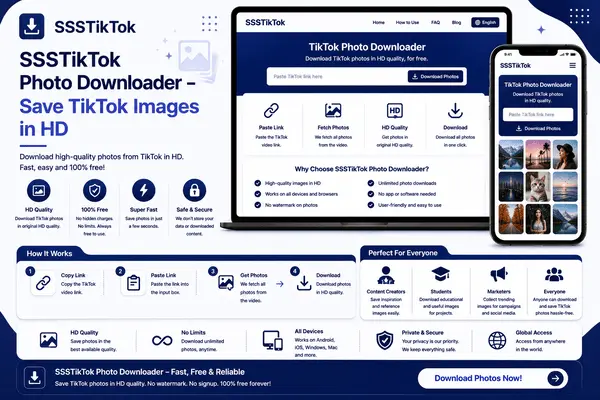
SSSTikTok Photo Downloader – Save TikTok Images in HD
Download TikTok photos in high definition with SSSTikTok. No watermark, no quality loss — fast, free, and easy to use fo...
TikTok Downloader, Download Video TikTok Without Watermark (TikTok MP3 & MP4)
No watermark · HD Quality · Free
TikTok feels like the whole planet is lip-syncing and laughing all at once. Millions scroll through the For You Page every single day, throwing hearts at clips of dancing cats, crazy stunts, and grandma beat-boxers.
Then you spot a gem—a hilarious skit or a mind-blowing DIY—and the app refuses to let you keep it. That miserable little watermark pops up, bold and annoying. Use SSSTikTok: one tap and the sticker disappears, leaving you with a clean, crystal-clear video.
SSSTikTok silently fixes a problem most of us never bothered to question. High-res, watermark-free clips go straight into your gallery so you can watch them on the bus, in class, or way past bedtime.
Sound too good to be true? Don't worry, the rest of this guide breaks down every trick SSS TikTok has up its sleeve, plus step-by-step instructions.
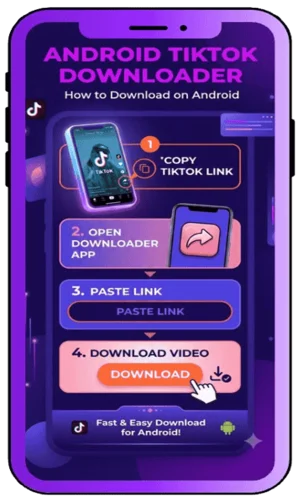
Open TikTok, select a video, tap the Share → Copy Link button. Paste the link on SSSTikTok and click “Download.” The video will save as MP4 without a watermark, ready for offline use.
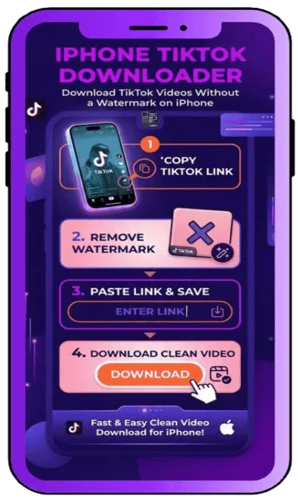
iOS 12+ users need the Documents by Readdle app. Copy the TikTok video link, open the app’s browser, visit SSSTikTok, paste the link, and download the video directly to your device.
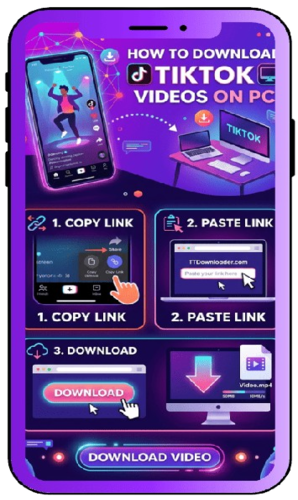
Easily download TikTok videos on Windows, Mac, or Linux without installing any apps. Copy the video link, paste it on SSSTikTok, and click “Download” to save the video in high-quality MP4 format without a watermark.
Absolutely. It never remembers what you take, and no personal info gets asked.
For sure. Grab the sharpest version the file offers, pixels and all.
Not a chance. No sign-ups, no passwords, just you and your fingertips.
Like a charm. Open Safari, paste the link, and watch it go.
Absolutely—no coins, no secret fees, just click and save. SSSTikTok is one hundred percent on the house.
SSSTikTok primarily downloads videos in MP4 format and audio in MP3 format, which work on virtually every device.
Yes! SSSTikTok downloads the complete video including all original audio, music, and sound effects.
Absolutely. The SSSTikTok downloader works perfectly on Windows, Mac, and Linux computers through any web browser.
Download TikTok photos in high definition with SSSTikTok. No watermark, no quality loss — fast, free, and easy to use fo...
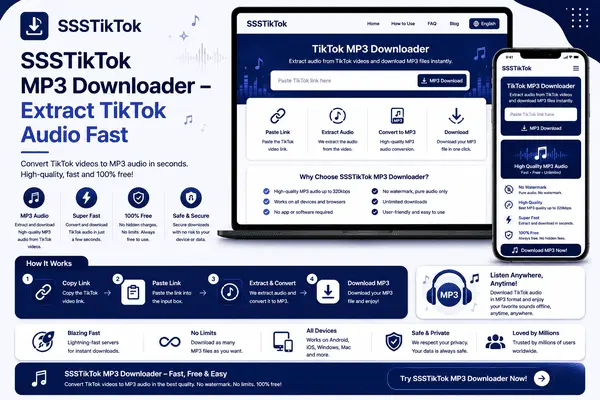
Extract audio from TikTok videos in MP3 format with SSSTikTok. Free, fast, no sign-up — save trending sounds, music, or ...
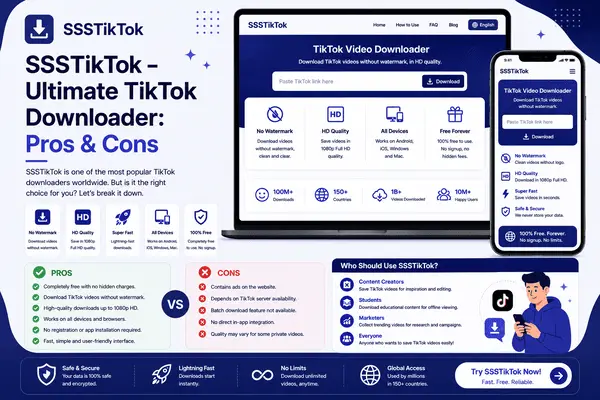
A full look at SSSTikTok: HD MP4/MP3 downloads, cross-device support, free with no sign-up — plus the pros and cons you ...

Think of SSSTikTok like a quiet magician that snatches watermarks out of the air. You copy a TikTok link, toss it into the little field, and seconds later, boom—there's your video, logo-free and ready to shine.
Best part? No need to dig through sprawling menus or create yet another account that you'll forget next week. Simply visit the TikTok downloader, paste your link, and start building your own ad-free TikTok library.
You don't have to download anything extra; the tool loads right in your web browser. That means it pops up in a blink and runs as smooth as a fresh update.
Fire it up on a clunky old PC, a glossy MacBook, an Android that stays forever close to dying, or a brand-new iPhone, and it'll play nice no matter what. SSS TikTok even hands you the choice of keeping the whole picture in HD or trimming down to just sound in handy MP4 and MP3 packages.
A pile of bells and whistles gives SSSTikTok a personality most other downloaders don't have. Each button you click feels like it was put there to think one step ahead of you.
Like magic, the annoying TikTok logo vanishes once the file lands on your device. That clean slate is a godsend for anyone slicing and dicing videos for their own channel.
Hit save and the movie-quality picture follows, ready to shine even when the phone is set to airplane mode. Watching later on a bigger screen won't feel like a muddy afterthought.
Want the whole show? Grab the MP4. Only need the jam playing in the background while you study? Snatch the MP3 and pretend you bought a fancy soundtrack.
Download spree, night owl session, or a quiet afternoon copying your favorites—there are no hidden limits telling you to slow down. Collect clips until the folder breathes a sigh of relief.
Grab as many TikTok clips as your heart desires—there's no cap on storage, and the clock never slows down for you.
Launch SSSTikTok, click once, and the video is on your device before you can check your notifications twice.
Fire up any web browser and the site appears like magic; no downloads, no updates, just you and the clips.
Laptop, iPad, Android phone—you name it. SSSTikTok slides right onto whatever you're holding without a hitch.
Every file lives on your gadget alone. The service keeps no records, so prying eyes stay exactly that—closed.
There are a couple of tiny ads up top, but the download button never costs a dime or even a penny.
One box to paste a link, one button to tap, and the job is done; the layout won't insult your common sense.
These little perks pile up quickly, turning SSSTikTok into the go-to stop for people who can't help but savor every second of TikTok fun.
Not sure about SSSTikTok yet? A lot of people say the downloader feels like magic once they try it. Take a quick peek at these five crowd-pleasing perks:
Cut the Logo: Every clip you pull in lands on your screen with no watermark waving its arms around.
Pocket the Laughs: Save the jokes, the tricks, the epic fails—any moment you want—watch later when Wi-Fi disappears.
One-Tap Easy: Hit a button, follow a prompt, and you're done; no engineer's degree required.
Every Gadget Plays Nice: Phones, laptops, even that old tablet in the drawer? They'll all handle SSSTikTok without drama.
Zero Sign-Ins: No email, no password, not even a nickname; just paste the link and go.
Put those together and you have a tool that can flip ordinary scrolling into a personal library of keeper videos.
Using SSSTikTok isn't complicated. It runs on almost anything that can breathe the internet. Here's your quick checklist:
Internet Connection: From data to dial-up, just make sure something is plugged in.
Video URL: Open TikTok, tap share, and swipe right until you spot copy link; that string is the golden ticket.
Free Space: Clips weigh a few megabytes, so clear out those meme screenshots if your phone is gasping.
Updated Browser: Chrome, Firefox, Safari, or whatever you trust—just keep it out of the stone age.
Yep, that really is all there is to it—nothing fancy, no expensive software.
Step 1: Open TikTok, either the phone app or the website, and find the clip you can't stop watching.
Step 2: Tap Share, then hit Copy Link so the URL jumps onto your clipboard.
Step 3: Fire up any web browser and head to ssstik.io. It'll open in a flash.
Step 4: Paste the link right into the big empty box at the top of the page.
Step 5: Pick MP4 if you want video, MP3 if you only need sound, then smash the Download button. A second later the file drops onto whatever device you're using.
Launch TikTok on your phone and find your favorite video.
Tap the Share icon (usually an arrow pointing right).
Select "Copy Link" from the sharing options.
Fire up your mobile browser (Chrome, Safari, Firefox—any will do).
Navigate to SSSTikTok by typing ssstik.io in the address bar.
Paste the link into the download box to start the process.
Choose your format and tap Download.
With SSSTikTok in your browser, any TikTok you love is just a few taps away.
If losing a video worries you, backing up takes maybe two minutes.
Send your clips to Google Drive, Dropbox, or iCloud. They'll chill safely in the cloud until you need them.
Plug a USB stick or a portable hard drive into your laptop, then drag those videos onto it. Store the drive on a shelf, and you now have a safety deposit box for your memories.
Create little folders and shove each project inside. Pink birthday clips go here, skate edits go there, easy peasy.
Hit copy, hit paste, and breathe easy. A habit like that makes sure the ones you love never slip away.
Free. No cash, no codes, just click.
Clear Canvas. The watermark vanishes, leaving your content looking pro.
Universal Access. Use the downloader on iPhones, Androids, or laptops—any gadget works.
Simple as Pie. Even your grandma could figure it out before the dough rises.
Speed Racer. Downloads finish almost before you even look away.
No Installation. Browser-based means no app clutter on your device.
Privacy Protected. No registration means your download history stays private.
Link Required. You need to manually copy and paste each TikTok URL.
Wobbly Wi-Fi. Lose the signal and the download decides to take a nap.
Ad Bumps. A few pop-ups trip through, but they're not the end of the world.
One at a Time. Can't batch download multiple videos simultaneously.
SS TikTok is the go-to TikTok downloader for grabbing TikTok clips without those pesky watermarks. The one-click design, zero-cost promise, and sharp, clear downloads make it a favorite for both DIY creators and casual scrollers.
Laptop, Android, or iPhone—it doesn't matter; the downloader plays nice across all devices and serves up videos that look great. Why sit around? Jump on SSSTikTok now and hoard all the TikTok magic you can handle.
Whether you're building a content portfolio, saving educational tutorials, or just collecting your favorite moments, SSSTikTok delivers a seamless downloading experience every single time. Try this powerful TikTok video downloader today and start creating your personal collection of watermark-free videos.